You don't need more hours.
You need a queue.
Dump every task in, rank by priority and due date, and each morning your day is already decided for you. Sprints, epics, and a daily calendar for your side projects — all in your browser. No account. No server. Free.
No signup. You'll be planning in 10 seconds.
Today
Sprint · Aug 24 – 30Today
Build PRD
Boarding HouseOutline post: pricing
BlogSketch room card UI
Boarding HouseCompare gateways
E-CommerceTomorrow
Design first screens
Boarding HouseDraft post
BlogCollect pricing refs
BlogWed
Set up repo & CI
E-CommerceTenant payment flow
Boarding HouseThu
Room listing model
Boarding HousePublish + share
BlogSchedule
Too much to do isn't the problem. Deciding what's first is. You sit down to work on your side project, spend 30 minutes figuring out where to start — and by the time you pick something, the energy is gone.
One queue, not a cloud of worries
Every task goes in, gets a priority and a due date, and lines up. You stop deciding and start doing.
Only what's next
Your home screen shows just the next 4 days and today's calendar — not the whole terrifying backlog.
Proof you showed up
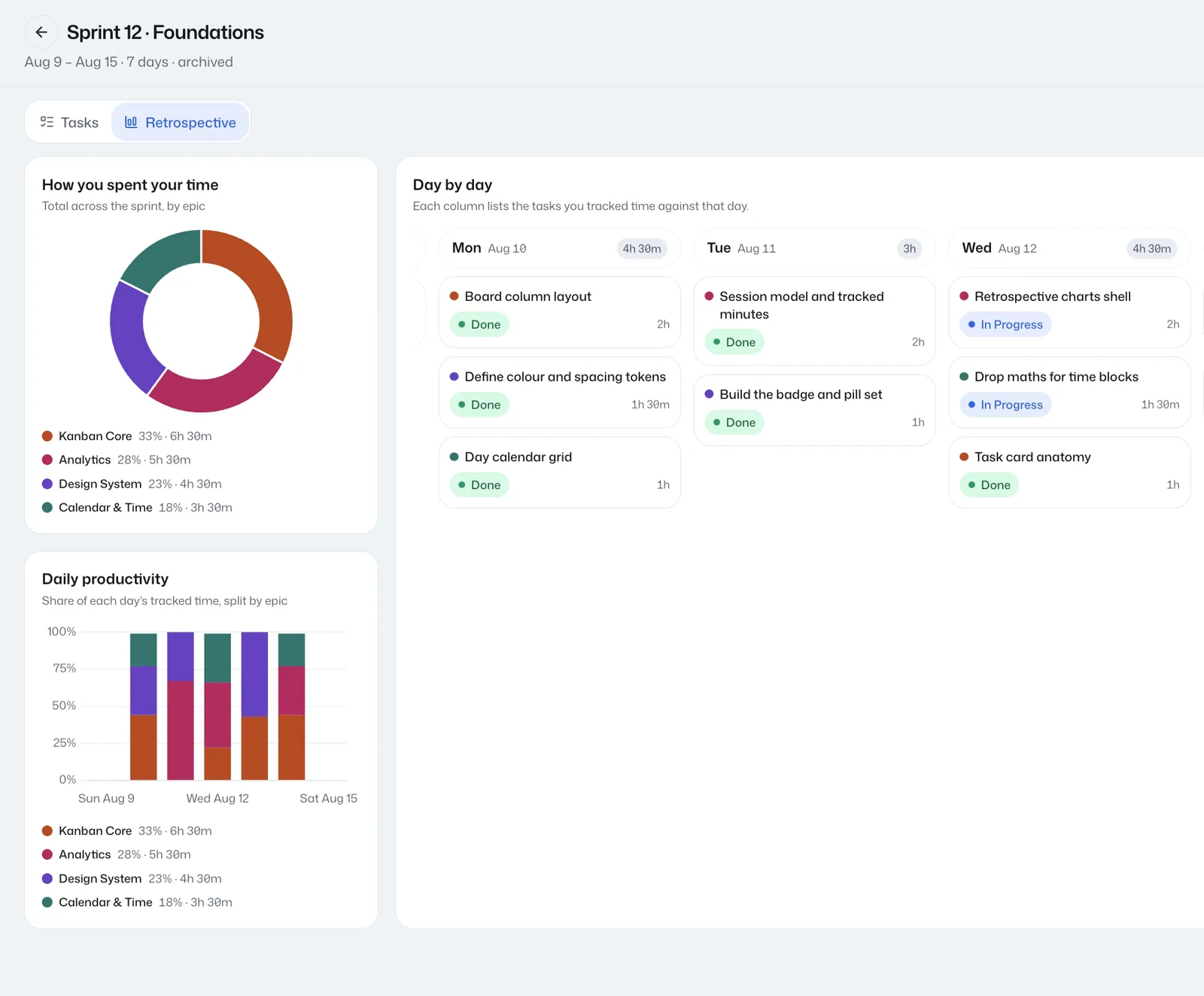
Every archived sprint becomes a report: what you finished, where your hours went, day by day. "I got nothing done" rarely survives the data.
Jira is for your job. Intently is for you.
The sprint workflow works — that's why your company uses it. Intently brings it to the projects that are actually yours: the side project, the new business, the course you keep postponing. Without the enterprise weight, the admin, or anyone else's board.
From pile in your head to plan on the wall
Start with your projects
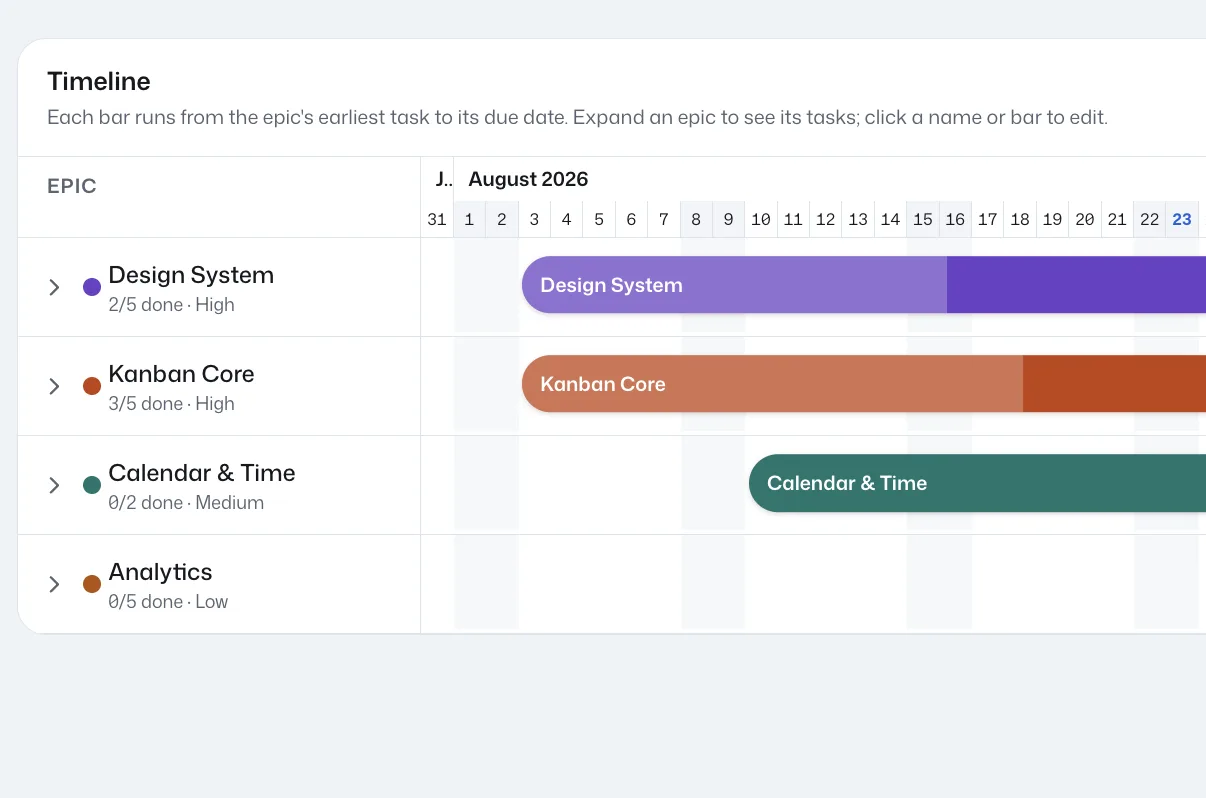
Every project you're actually building becomes an Epic. Each one gets a colour, a priority and a due date, then lands on a timeline as a bar running from its first task to its deadline — so you can see what overlaps and what has to wait.
Break them into tasks
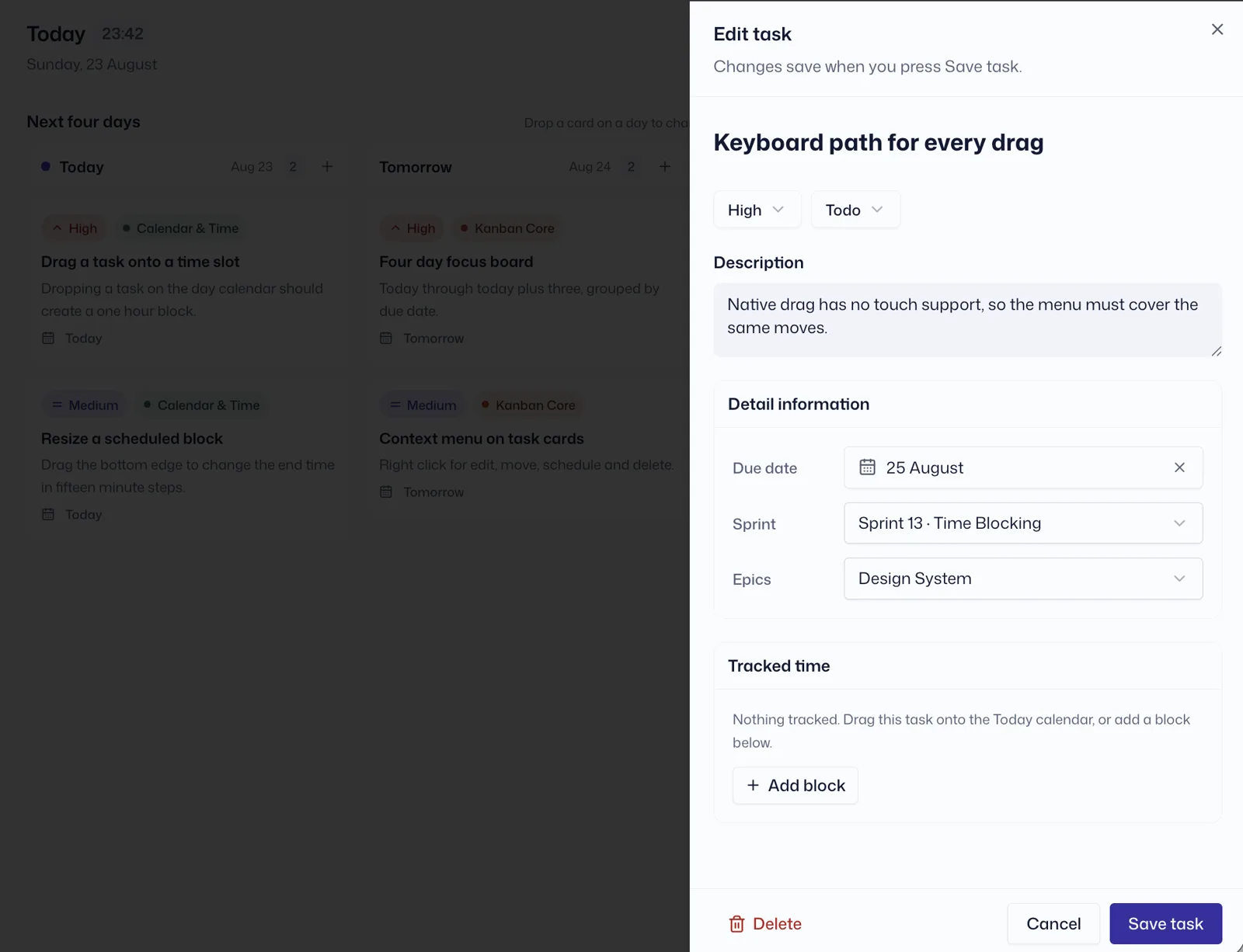
Open an epic and list what it actually takes. Each task carries a priority, a status, a due date, the sprint it belongs to and the epic above it — everything you need to decide later, captured once, now.
Pick your week
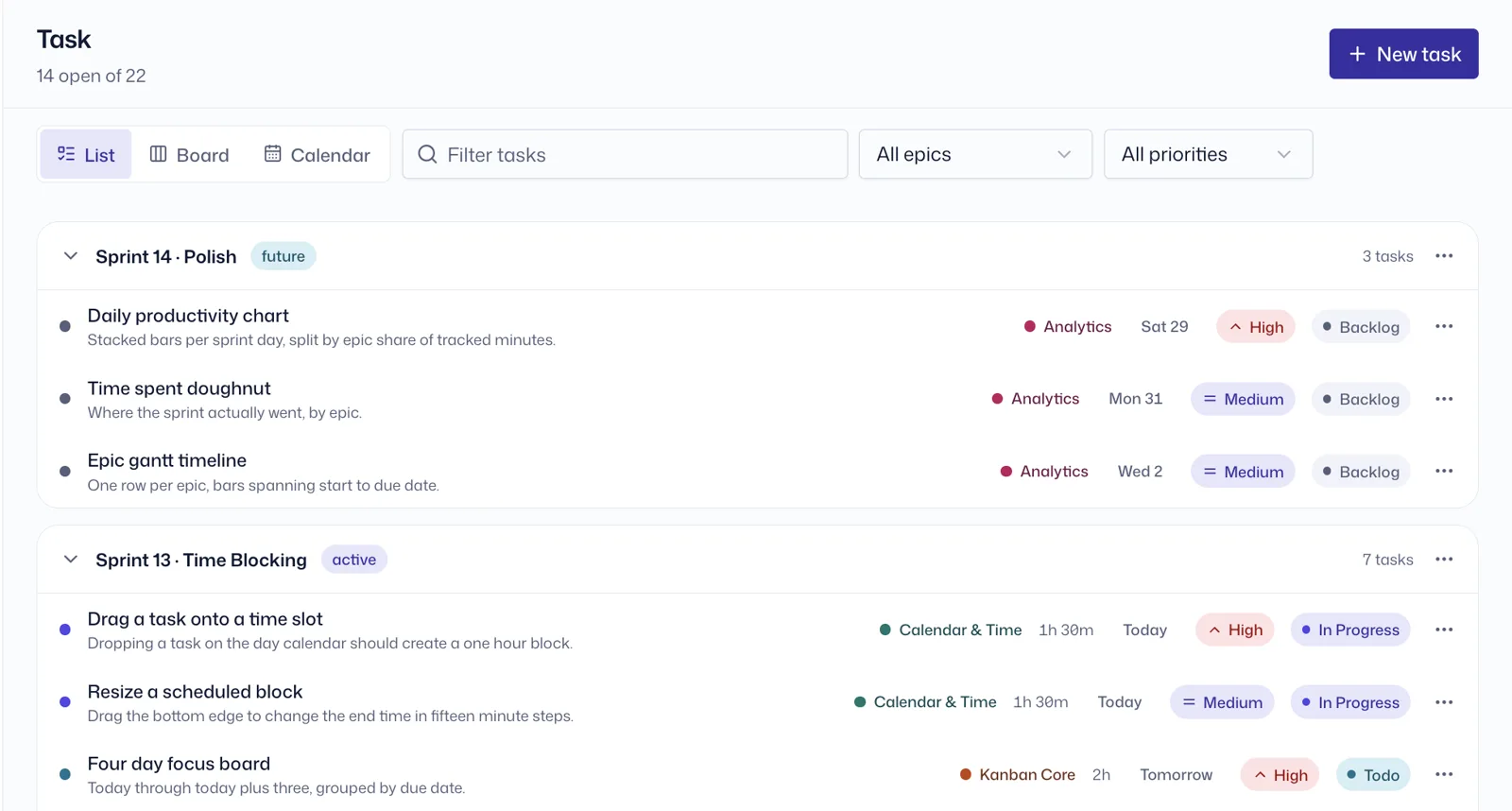
Group the tasks you intend to finish into a Sprint. Future, active and archived sprints stack in one list, so the week you've committed to stays separate from the pile you haven't — the backlog waits its turn.
Work today, already decided
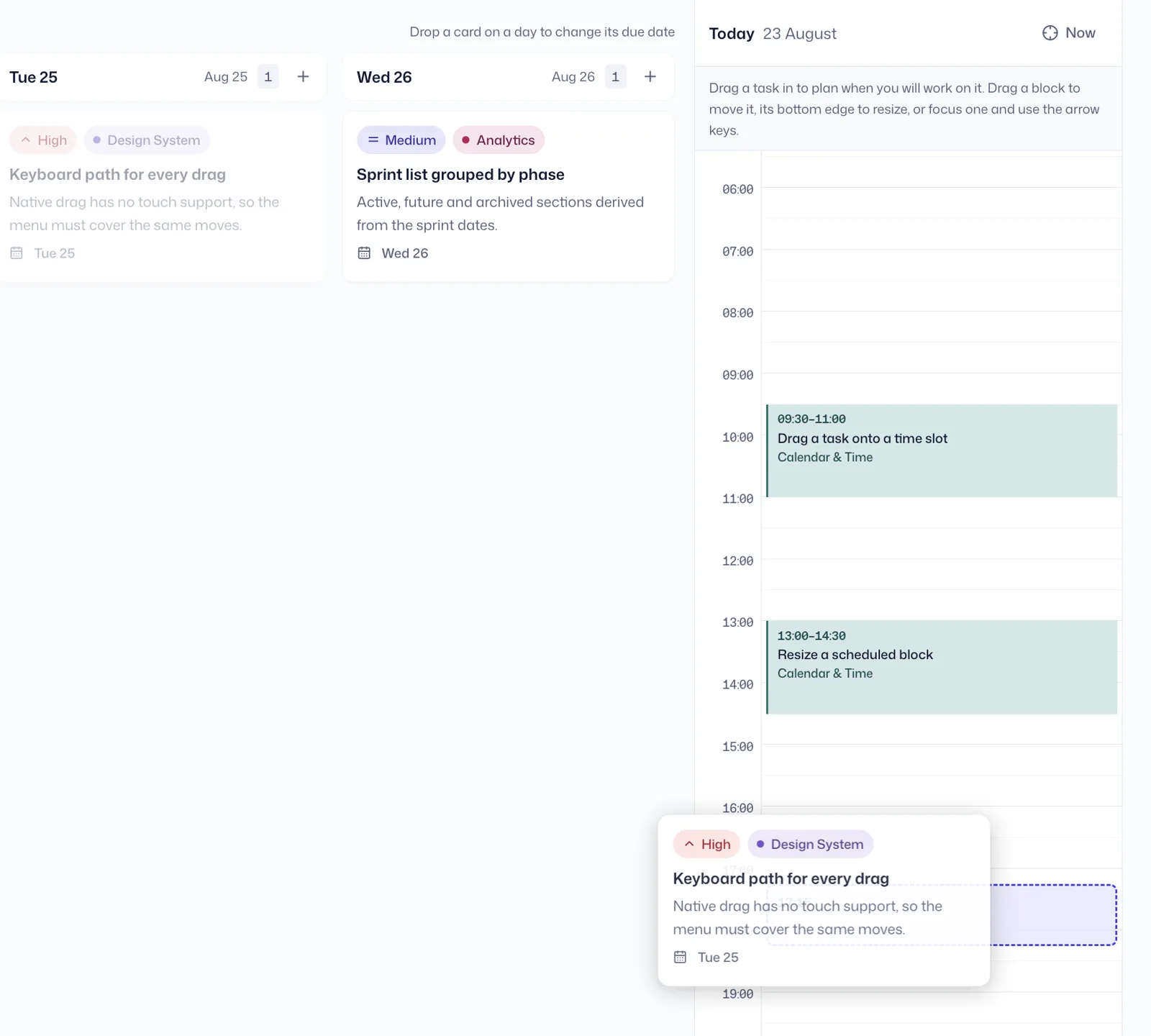
Each morning the Home view shows only the next four days, beside today's calendar. Drag a task onto an hour to decide not just what you'll do, but when. No negotiating with yourself.
Review and recharge
Archive the sprint and read the receipt: where your hours actually went by project, how each day looked, and every task you closed. Did more than you felt? Enjoy the boost. Less than you hoped? Now you know.
Everything you need. Nothing you don't.
Today, decided
The Home view pairs a 4-day kanban with today's calendar. Drag a task onto the calendar to time-block it — your morning starts with a plan, not a decision.
Every task, one queue
The Tasks view holds everything — grouped by sprint in a list, or spread across a status kanban: Backlog → Todo → In Progress → Done. Nothing lives in your head anymore.
Sprints for a team of one
Plan a week, work it, archive it. Each finished sprint turns into charts: daily productivity as bars, time per project as a donut, and a day-by-day board of what actually happened.
Build Boarding House App
Write Blog Posts
Launch E-Commerce Store
Your projects on a timeline
The Epic Gantt shows every project side by side — so you can see that the e-commerce store waits until the boarding house app ships.
Fast in the hand
Drag and drop everywhere, right-click a task for actions, Escape to close. It stays out of your way.
Your data stays yours
Intently has no backend, no database, and no login. Everything lives in your browser's localStorage and never leaves your machine.
01Where is my data?
In your browser, on your device. Nowhere else. There is no server to send it to.
02Do I need an account?
No. There's nothing to sign up for — open the app and start planning.
03Does it sync between devices?
No — that's the tradeoff for total privacy. One browser, one board.
04What if I clear my browser data?
The board resets. Don't clear it without thinking.
05How much does it cost?
Nothing. There's no server, so there's nothing to pay for.
Your week is waiting to be queued.
Stop rearranging tasks in your head. Put them in order once, and let every morning start already decided.
Free. No signup. Nothing leaves your browser.